
How to Buy a Domain Name: A Practical First-Purchase Guide
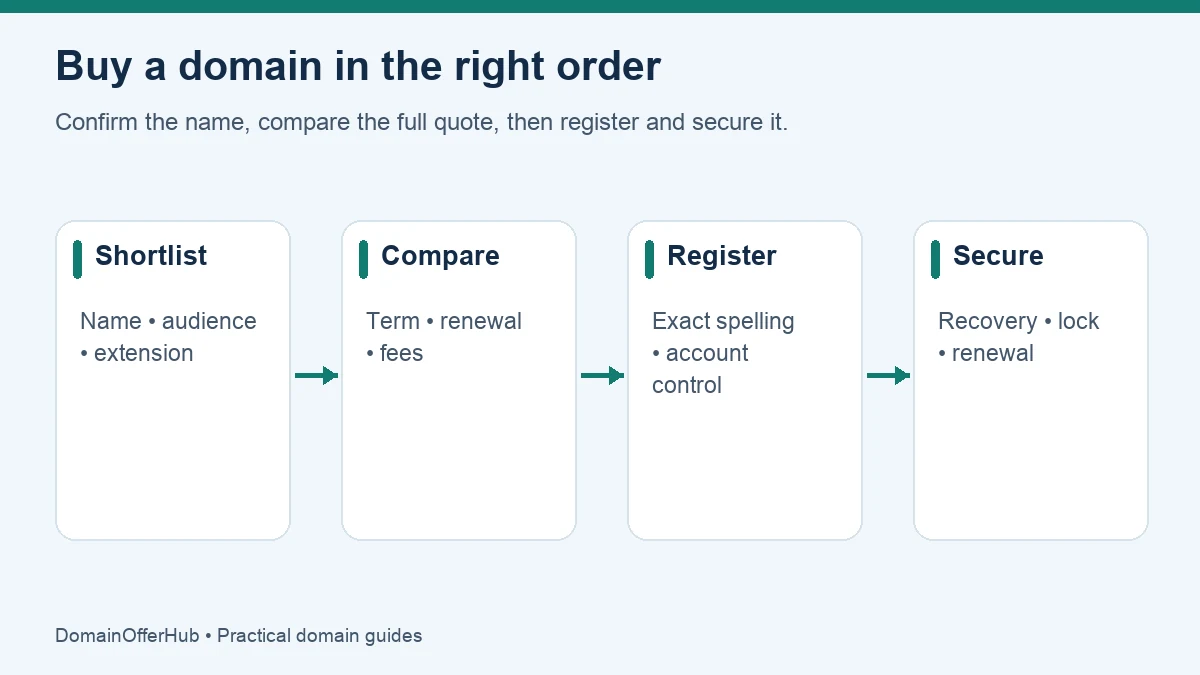
To buy a domain name, choose an available name, compare the first-year and renewal costs, register it through a registrar or reseller, and verify your contact details. You can buy the domain before choosing a website builder, hosting company or email service.
This guide covers a new registration. Buying an already registered name from its owner involves a different negotiation and transfer process. Availability suggestions are not proof that a name can be registered or that it is suitable for your business.
1. Decide what the name needs to do
Write down the business name, your audience and the purpose of the domain. A local repair business and an international software product may make different extension choices. Say each candidate aloud and ask someone to spell it back. A name that looks clever in a logo can still be awkward in an email address.
Start with a small shortlist rather than registering every variation. Our domain name suggestion tool can help explore local and global ideas. It generates suggestions; it does not confirm live availability or trademark clearance.
If your first choice is unavailable, try a meaningful modifier, a clearer brand, or an appropriate extension. Avoid choosing a confusingly similar spelling merely to obtain a cheap registration. Check any country or industry eligibility conditions on the extension guide before committing.
2. Compare registrars using the same purchase conditions
For generic extensions, you may register through an ICANN-accredited registrar or a reseller. A reseller is not itself necessarily accredited; the sponsoring registrar remains responsible for the services covered by its ICANN agreement. Country-code registrations follow the relevant registry’s arrangements. See ICANN’s registration-process explanation.
A useful comparison starts with the exact extension, currency and term. A one-year USD registration cannot be compared fairly with a two-year EUR commitment using only the headline number. Look at:
- First payment: the domain charge, mandatory fees and taxes at checkout.
- Renewal: what the next standard renewal currently costs and whether the chosen name has premium renewal pricing.
- Services: DNS management, privacy where available, forwarding, account security and access to support.
- Offer conditions: new-customer restrictions, minimum terms, coupon eligibility and any required bundle.
- Control: whether you can manage DNS, unlock an eligible domain and obtain transfer credentials yourself.
Use our .com price comparison or browse registrar pages. Check the source date and conditions. A recorded quote is a comparison aid; the merchant’s current basket decides what you pay.
3. Search the exact name and inspect the basket
Type the complete domain carefully, including the ending. Confirm that the result is a standard registration rather than a premium name, broker enquiry, auction or aftermarket listing. These purchase types have different prices and processes.
| Basket item | What to check |
|---|---|
| Domain spelling | Every character and the extension match your intended name. |
| Registration term | The full commitment is visible, not just a first-year teaser. |
| Optional extras | Hosting, email, security packages and other add-ons are services you actually want. |
| Coupon | The discount applies to this domain and term; the final total changes as expected. |
| Renewal | You understand the present renewal rate and auto-renew setting. |
If a coupon fails, do not assume the registrar is broken. The extension, account type, number of domains or term may be excluded. Compare the final discounted basket against the best no-code offer; a coupon does not automatically produce the lowest total.
4. Register under an account you control
Use accurate registrant details and a recovery email address you can access independently of the new domain. If someone is building the website for you, agree who holds the registration and how you retain access. Paying a designer for a website does not by itself prove that your business controls the domain account.
Review the registration agreement, cancellation terms and contact-verification instructions. Save the order receipt and registration confirmation. Do not publish a launch date solely because payment was accepted: wait for the registrar to confirm the domain is successfully registered in your account.
5. Protect the name before building the site
Enable the strongest available account authentication, store recovery codes safely and check the domain lock. Set renewal reminders and keep the payment method current if you use auto-renew. Complete legitimate contact-verification requests by checking them against your registrar dashboard rather than trusting an unsolicited link.
You can then connect hosting, email or a redirect. These services can be supplied by different companies. Keep a record of the registrar, authoritative DNS provider and hosting provider so that you know where to make each change.
Common first-purchase questions
Do I need hosting to buy a domain?
No. Registration reserves the domain for its registration period. Hosting serves your website; email hosting operates your mailbox. A bundle can be convenient, but inspect what renews and at what rate.
Can I buy a domain permanently?
A normal registration has a renewable term, not a one-time lifetime ownership payment. Keep the registration renewed to retain your rights to use it.
What should I save after checkout?
Save the receipt, account recovery details, renewal date, agreed term and a note of the included services. Your next useful action is to secure the account and choose how the domain will be used.
Editorial review: 25 October 2026. Sources are linked beside the relevant explanations. Provider processes and pricing can change; verify current requirements before acting.