
I Bought a Domain Name—Now What? Your Setup Checklist
After buying a domain, confirm that the registration is complete, secure the account, set renewal reminders, and decide where DNS will be managed. Then connect a website, email or a redirect according to what you actually need.
You do not need to purchase every service offered after checkout. A domain can remain registered while you prepare a site, or it can be used only for email. This checklist puts control and continuity before optional add-ons.
First: confirm the domain is really in your account
Find the exact name in your registrar dashboard and check that the registration succeeded. Save the receipt, paid term and renewal date. An accepted payment or a search result is not a substitute for confirmation of a successful registration.
Complete any legitimate contact-verification steps and keep registrant details accurate. If a contractor registered it, establish who controls the account and recovery process. Your business should not depend on a former employee’s personal login to retain its primary address.
Secure the account and plan renewal
- Use a unique password and the strongest supported additional authentication.
- Store recovery codes where an authorized person can retrieve them.
- Keep recovery email independent of the domain where possible.
- Check the transfer lock and understand how to manage it.
- Review auto-renew, payment details and an independent renewal reminder.
ICANN’s renewal guidance emphasizes checking expiration dates and keeping payment and contact information current. Auto-renew is useful, but a failed card or inaccessible inbox can still disrupt the process.
Make a simple service map
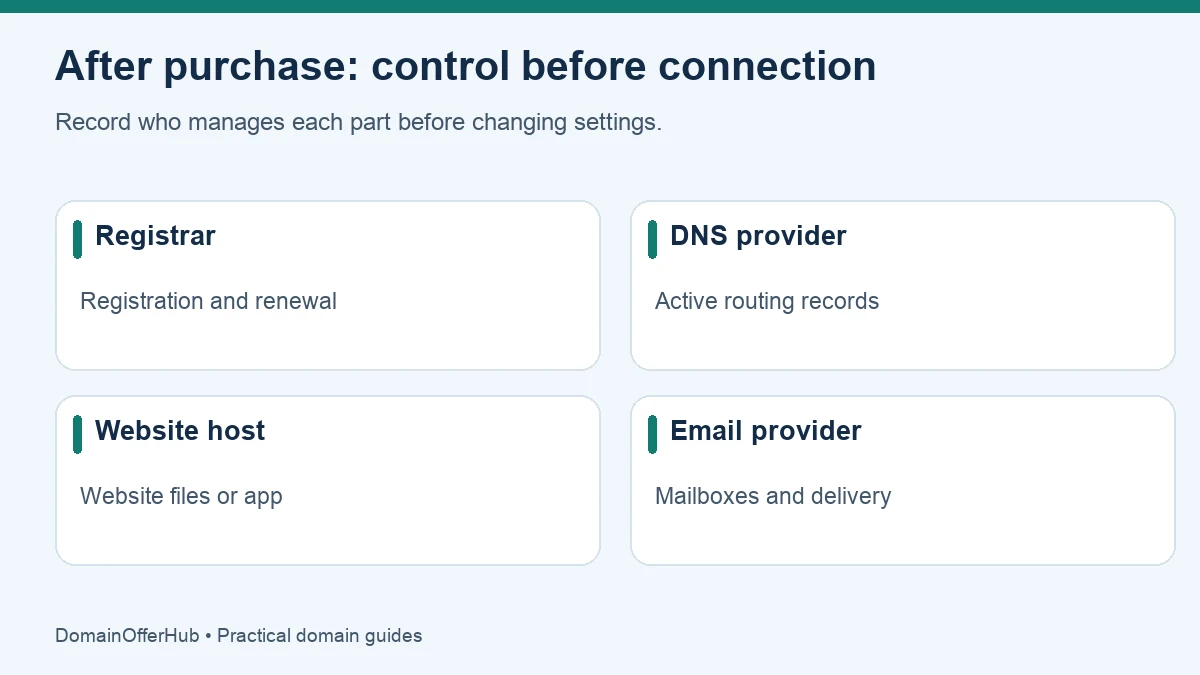
Keep a note with these four fields. They can all name one company or four different companies.
| Role | What it controls | Record for yourself |
|---|---|---|
| Registrar | Registration, renewal and transfer controls. | Provider and account owner. |
| Authoritative DNS provider | The active DNS records for the name. | Nameservers and DNS management location. |
| Website host or builder | Website files or application. | Connection instructions and support route. |
| Email provider | Mailboxes and mail delivery. | Admin access and mail-routing instructions. |
This avoids a common problem: changing records at the registrar while the domain is delegated to another DNS service. Those edits may be saved but never used.
Choose the next step based on the domain’s purpose
You want a new website
Choose the host or builder, create the site, and follow its custom-domain connection instructions. It may ask for A, AAAA or CNAME records, or a nameserver change. Use the exact values it supplies; there is no universal IP address for connecting a domain.
Once connected, enable the platform’s HTTPS certificate process and test the intended canonical address. Test the root domain and www if you plan to use both. A working DNS connection alone does not prove that HTTPS or redirects are configured correctly.
You want professional email
Choose a mail provider, create the mailbox, verify the domain and add mail-routing and authentication records. Registration does not automatically include a usable inbox. Follow our tools and planning resources while keeping email charges separate from the registration budget.
You want to send visitors to an existing site
Use an HTTP redirect service or a supported forwarding feature. A CNAME record is a DNS alias, not an HTTP redirect that changes the browser’s address. Check whether the forwarding service supports HTTPS and the hostnames you need before putting the address in print.
You are saving the name for later
Secure and renew it, keep recovery access current and inspect any default parking page. You can publish a simple honest holding page if useful. You do not need a hosting subscription solely to retain the registration.
Before changing nameservers, copy existing records
If the domain already has working services, export or record its DNS entries before moving DNS. Include website records, MX, TXT verification and authentication records, and other service entries. Recreate required records at the destination before changing delegation.
DNSSEC needs particular care when moving DNS providers: follow both providers’ instructions for the DS record and signing transition. An incompatible leftover DS record can stop validating resolvers from resolving the name. Do not switch it blindly.
For background on record roles, see Cloudflare’s DNS record guide. Nameserver and record changes are separate operations with different effects; caches can retain earlier answers until their applicable lifetimes expire.
Run a short launch check
- Open the public website over HTTPS on a separate connection or device.
- Check root and
wwwbehavior and important redirects. - Send and receive a test email if mail is configured.
- Confirm the right business has account access and recovery instructions.
- Save the service map, DNS backup and renewal reminder.
Use our cost calculator to record the current registration and renewal scenario. Add hosting, mail and any other recurring services separately so the complete operating cost is visible.
Questions after a first purchase
Why is the domain still showing a parking page?
The name may still use default DNS or forwarding, the website connection may be incomplete, or an earlier answer may be cached. Check the active nameservers and the host’s requested records before making more changes.
Do I have to transfer the domain to my web host?
Usually you can keep registration separate and connect through DNS. Check the host’s supported connection methods before assuming a registrar transfer is necessary.
Should I buy extra extensions immediately?
Only for a clear purpose and budget. Compare the extension options and renewals, then prioritize the name you will actually use.
Editorial review: 25 October 2026. Sources are linked beside the relevant explanations. Provider processes and pricing can change; verify current requirements before acting.