
How to Find Who Owns a Domain: RDAP, Privacy and Contact Options
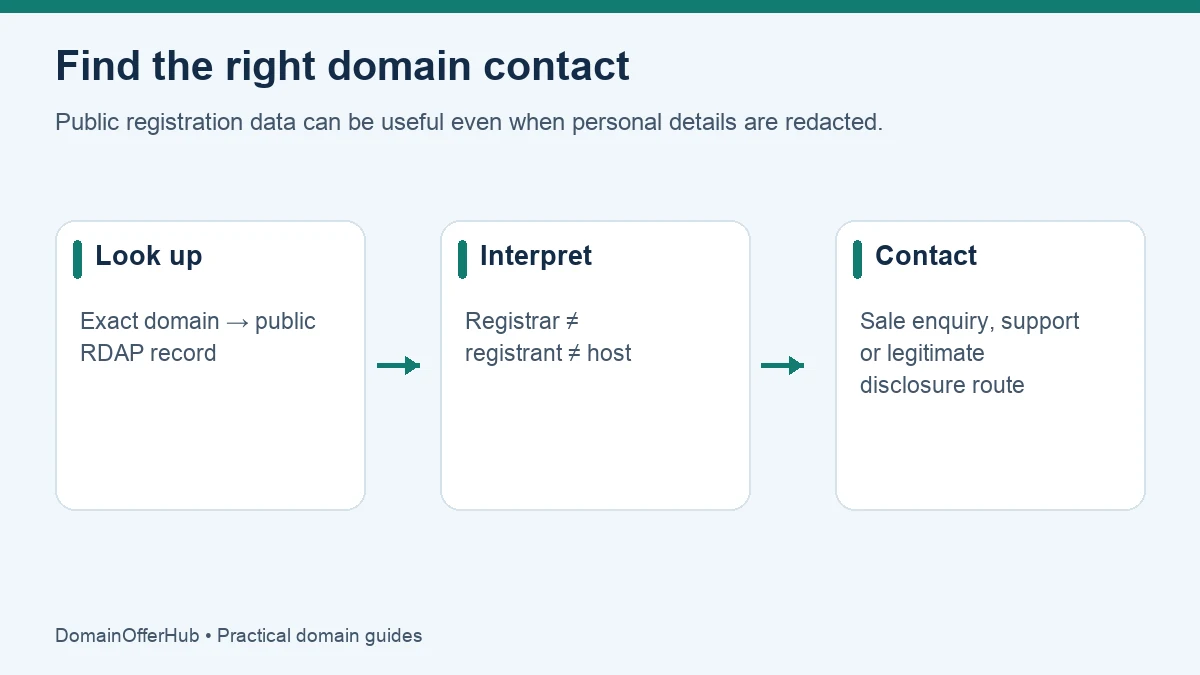
Start with ICANN Lookup to inspect a domain’s public registration data. You may find its registrar, registration dates, status and a contact route, but the registrant’s name or email may be redacted. Public lookup is not a guarantee that you can identify the person behind a website.
For country-code domains, the relevant registry may offer its own lookup and contact process. If you want to buy a registered name, distinguish finding the registration provider from finding a willing seller.
Use the exact domain, without a page path
Take the hostname from the address and identify the registered domain. For a normal address such as shop.example.com/products, the relevant registered domain is example.com. With a multi-label public suffix such as .co.uk, the registered name can include an additional label; simply taking the last two words is not always correct.
Open ICANN Lookup directly and submit the domain. Avoid services that require a payment just to reveal the same public record. A result showing no data is not conclusive proof that the name is available: check the appropriate registry or registrar too.
Read the record without confusing the roles
| Field | What it helps establish | What it does not prove |
|---|---|---|
| Registrar | The company sponsoring the registration. | The website’s owner or web host. |
| Creation and expiration events | Registration lifecycle dates in the returned record. | The business’s founding date, or an exact public release time after expiration. |
| Nameservers | The domain’s authoritative DNS delegation. | Who owns the business, or necessarily where its website is hosted. |
| Domain status | Locks or lifecycle states that may affect transfers or use. | A complete explanation of a dispute or account problem. |
| Registrant contact | Public details or a redacted/contact-forwarding route, when supplied. | Guaranteed access to private personal information. |
Read any notices attached to the result. A privacy or proxy service can appear instead of a person’s details. A registrar, registry, DNS provider and hosting provider may all be different organizations.
Why RDAP matters when older guides say “WHOIS”
ICANN identifies RDAP as the definitive delivery method for generic top-level-domain registration data from 28 January 2025. RDAP returns structured information and supports differentiated access. The name “WHOIS lookup” is still used informally, but a current guide should not assume that a legacy port-43 query reveals everything. See ICANN’s RDAP transition notice.
Some fields are not public. ICANN’s lookup FAQ explains that disclosure can depend on policy, law and the purpose of a request. Redaction is not by itself evidence of wrongdoing.
Choose the contact route that matches your purpose
You want to purchase the name
Check whether the live site has a genuine sale page or a clearly identified business contact. If the lookup supplies a registrant contact form or privacy forwarding address, send a concise purchase enquiry through that route. Use a separate contact address if you do not want to expose your main business inbox to sales replies.
A message can state the exact domain and ask whether the holder is open to selling. Do not assume the first asking price is market value. Before a substantial transaction, verify control and use a suitable transaction process; an email reply alone does not establish ownership.
You have a technical or abuse issue
Use the registrar’s published support or abuse channel as appropriate. A hosting issue may need the hosting provider instead. Include the domain, relevant URLs and the specific problem. Do not treat an abuse contact as a purchase-negotiation channel.
You need nonpublic data for a legitimate purpose
Follow the sponsoring registrar’s disclosure process. For participating generic-domain registrars, ICANN’s Registration Data Request Service is another request route. Access is assessed; it is not an instant owner-reveal service for curiosity or marketing. Use ICANN’s RDRS information to understand its scope.
If the domain is registered but unused
A blank page, broken website or parking page does not mean the domain has no owner. It may still support email, redirects, a future project or a private service. An expiration date also does not mean the name will become available immediately on that date.
If contact is unsuccessful, consider a distinct name or appropriate extension. Our name suggestion tool can help you develop alternatives, and the extension directory provides price comparisons and requirements.
Common lookup questions
Can I get the owner’s private email address?
Not necessarily. Use the public forwarding or disclosure process where appropriate. A paid lookup service cannot guarantee that private information will be released.
Is the registrar the owner?
Usually the registrar manages the registration for its customer. Do not mistake its contact details for proof that it owns the domain.
Does an unavailable lookup mean I can register the name?
No. Lookup errors, unsupported registry data or restricted names can produce incomplete results. Check current registration availability and the relevant registry rules before acting.
Editorial review: 25 October 2026. Sources are linked beside the relevant explanations. Provider processes and pricing can change; verify current requirements before acting.