
How to Create Your Own Email Domain: From Registration to Working Mail
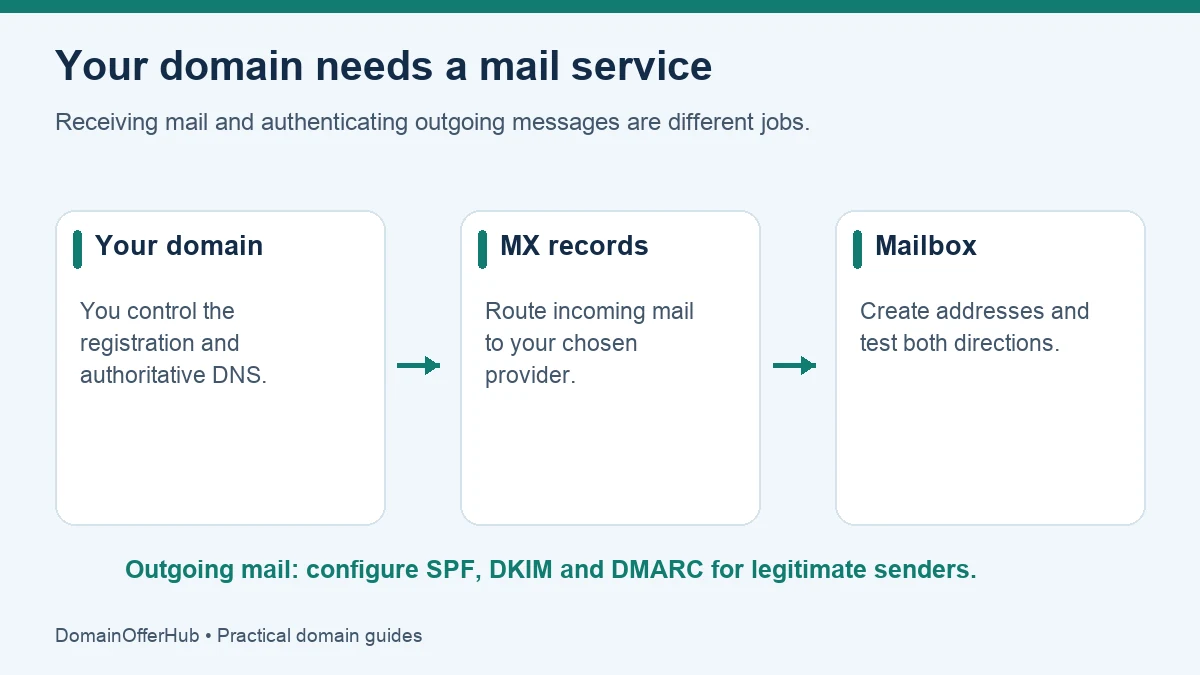
To use an address such as [email protected], register a domain you control, choose an email hosting service, verify the domain, and publish that service’s DNS records. Create the mailbox, configure sending authentication and test messages in both directions.
Registering the domain alone does not create an inbox. A personal Gmail address uses Google’s gmail.com domain; a custom-domain mailbox uses your own domain with an email service behind it.
Choose between a mailbox and forwarding
| Option | What you receive | What to check |
|---|---|---|
| Hosted mailbox | An inbox with sending and receiving, managed by an email provider. | Storage, users, aliases, authentication and renewal charges. |
| Email forwarding | Messages to your domain forwarded to an existing inbox. | Whether sending as the domain is included or needs a separate authenticated service. |
| Alias on an existing mailbox | An additional address that delivers to the same mailbox. | Whether the provider supports your domain and whether a separate login is required. |
For a business that needs reliable replies from its own address, a hosted mailbox is often the clearest starting point. Forwarding can suit a simple contact address, but receiving a forwarded message does not automatically configure a correct outgoing identity.
Step 1: buy or confirm control of the domain
You need access to the domain’s authoritative DNS settings, not necessarily website hosting. Compare registration and renewal in our extension directory before registering. Keep account recovery on an independent address so a problem with your new email does not prevent you from accessing the registrar.
If you already own a domain, identify where its nameservers point. DNS may be managed by the registrar, your host or a separate DNS company. Editing an inactive DNS zone will not update the records used on the internet.
Step 2: choose a provider and create the service
Choose according to the number of real mailboxes, storage, calendar or collaboration needs, migration support and total renewal cost. Google Workspace and Microsoft 365 are examples of services that support custom domains; other providers offer mailbox-only plans. Do not assume a free personal account can be renamed to your domain.
Record which addresses need separate inboxes and which can be aliases. A team with three people does not necessarily need a paid mailbox for every role address, but alias and shared-mailbox features depend on the provider.
Step 3: verify the domain and set mail routing
Follow the chosen provider’s setup wizard. Domain verification commonly uses a DNS TXT record. Verification demonstrates control for that service; the exact value is unique to your setup, so copy it from the provider rather than from a generic tutorial.
MX records tell other mail systems where to deliver incoming mail. Replace them only when you are ready to route mail to the new provider. For Google Workspace, use the current values in Google’s MX setup guide; do not mix an old provider’s records into the new configuration unless your migration plan specifically requires it.
Changing MX records does not normally require changing your website’s A or CNAME records. Keep website routing intact unless your provider explicitly asks for a separate change.
Step 4: authenticate outgoing mail
| Record or method | Purpose | Common mistake |
|---|---|---|
| MX | Routes incoming mail. | Assuming it authorizes outgoing mail too. |
| SPF | Identifies permitted sending systems for the relevant domain. | Adding a second SPF record instead of updating the existing policy. |
| DKIM | Lets receivers verify a cryptographic signature from the sending domain. | Publishing a key but never enabling signing at the provider. |
| DMARC | Applies an alignment-based policy and can request reports. | Starting with a strict rejection policy before checking every legitimate sender. |
Inventory all sending services, including contact forms, invoices and newsletters. Use their current instructions when building a single SPF policy and enabling DKIM. Begin DMARC deployment with monitoring appropriate to your setup, inspect the results, and tighten policy after legitimate sources are correctly authenticated.
Google’s sender guidelines distinguish requirements for all senders and bulk senders and recommend SPF, DKIM and DMARC. Correct authentication helps establish legitimate sending; it does not guarantee inbox placement.
Step 5: test before using the address publicly
- Send a message from an unrelated external account to the new address.
- Reply and confirm the visible From address uses your domain.
- Inspect message authentication results using the receiving service’s message-details view.
- Test aliases, forwarding and website forms separately.
- Confirm recovery access and enable account authentication.
For an existing mailbox migration, keep access to old mail and plan the cutover before changing MX. Cached DNS answers can temporarily send mail along the earlier route. Follow the provider’s migration plan rather than promising a universal “instant” change.
Troubleshooting the first messages
No incoming mail: check the authoritative MX records, domain verification, mailbox existence and whether setup is active. Replies use the wrong address: inspect the sending account or alias configuration. Mail is rejected or lands in spam: inspect authentication results and the sending service’s error message; repeatedly changing unrelated DNS values makes diagnosis harder.
Keep your registration renewed and budget for email separately. The domain calculator estimates registration costs; add mailbox subscriptions to your own complete business budget.
Can I have domain email without a website?
Yes. A domain can serve email without hosting a public website. You still need the registration, functioning DNS and an email service or forwarding arrangement.
Editorial review: 25 October 2026. Sources are linked beside the relevant explanations. Provider processes and pricing can change; verify current requirements before acting.